AI ADAPTIVE IMAGE COMPRESSION
AI-based compression system intelligently preserving text and fine details using deep learning and OCR.
OVERVIEW
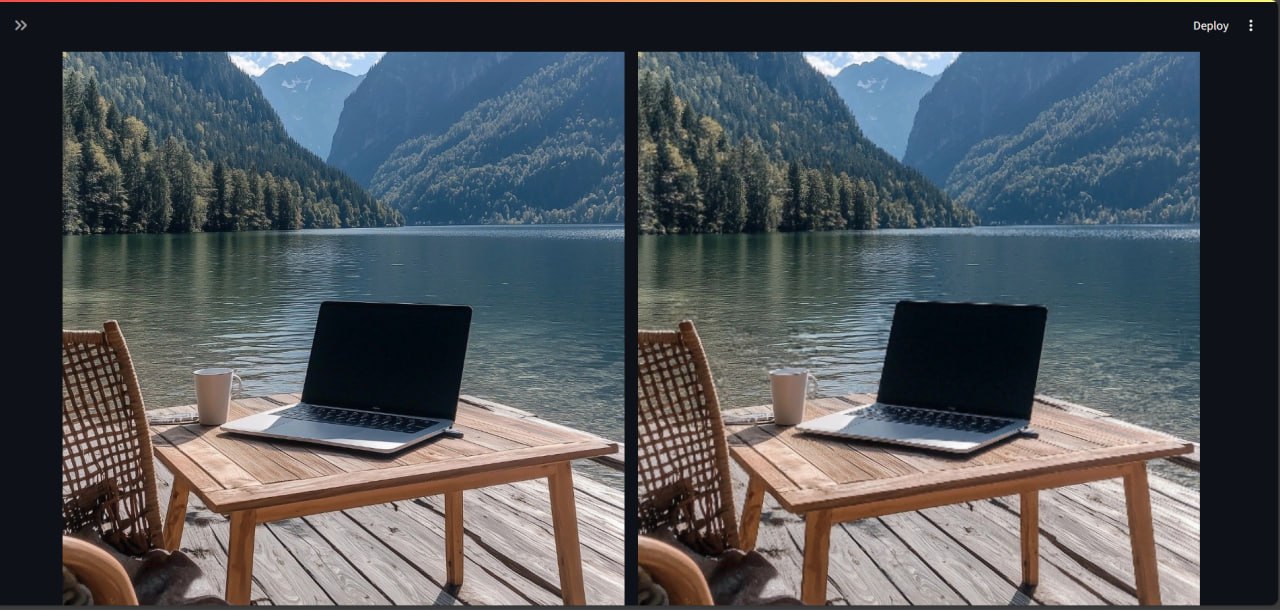
Conventional image compression applies a uniform reduction across the entire canvas, frequently degrading essential information such as text and fine details. This project introduces a context-aware, adaptive compression pipeline powered by deep learning and Optical Character Recognition (OCR). The system autonomously identifies critical regions, guaranteeing the preservation of readability and structural clarity while aggressively minimizing overall file size.

KEY FEATURES
- ▸ Tile-Based Processing: Dynamically segments images into discrete, non-overlapping tiles for granular analysis and compression.
- ▸ Deep Learning Classification: Utilizes a custom-trained neural network architecture to identify visually critical and human-centric regions.
- ▸ OCR-Aware Preservation: Integrates Tesseract OCR to strictly safeguard text and structural elements from compression degradation.
- ▸ Adaptive Compression Strategy: Dynamically allocates high quality to critical regions while aggressively compressing less important background noise.
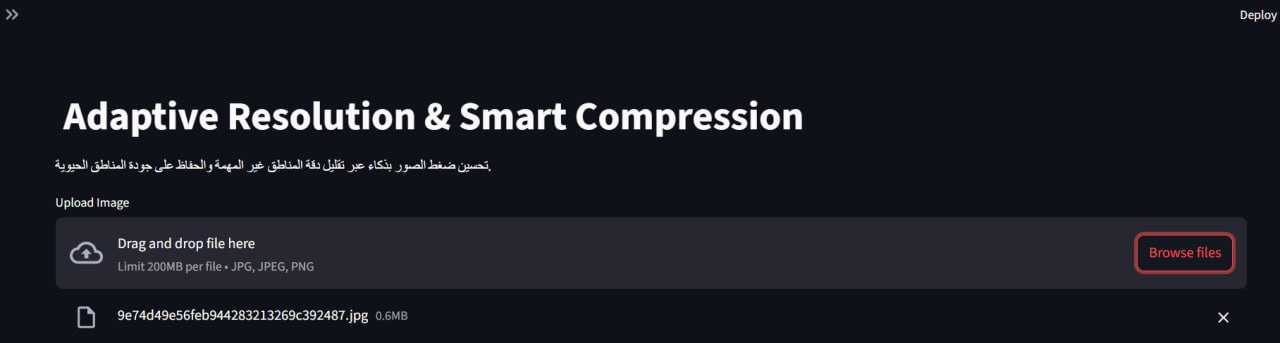
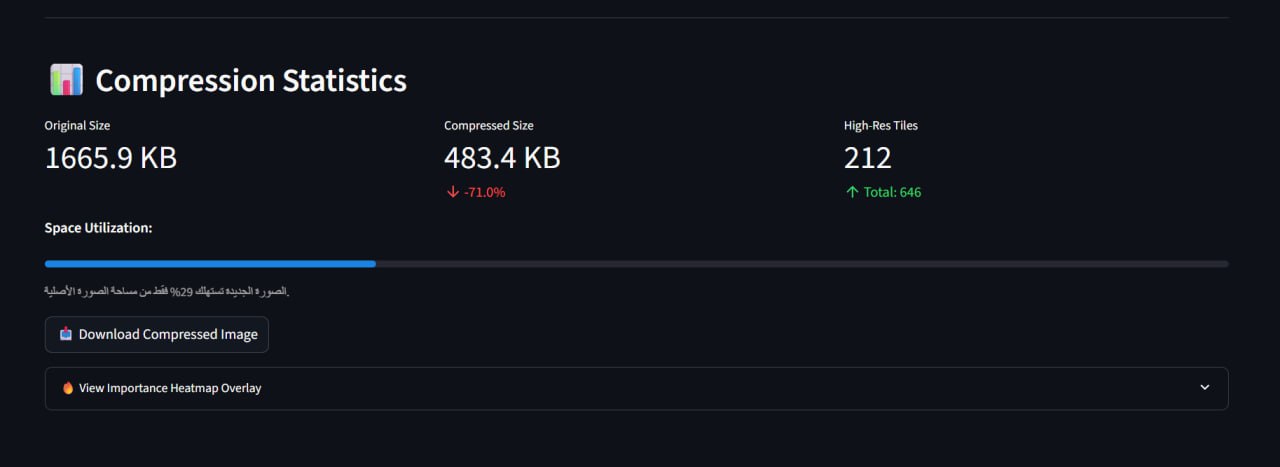
- ▸ Interactive Visualization: Provides a responsive Streamlit interface featuring a visual heatmap of detected regions and compression metrics.
- ▸ Significant Size Reduction: Achieves 60–80% reductions in file size while maintaining a near-lossless perceived visual quality.
HOW IT WORKS
PROJECT STRUCTURE
app.py           # Streamlit web application
train.py         # Model training script
classify.py      # Dataset preprocessing & OCR labeling

# Excluded from repository:
# /dataset, /processed, /outputs, /models
INSTALLATION & DEPENDENCIES
1. Clone and install dependencies:
git clone https://github.com/USERNAME/ai-adaptive-image-compression.git
cd ai-adaptive-image-compression
pip install -r requirements.txt
2. External Dependencies (Tesseract OCR):
This project requires Tesseract OCR to be installed separately and added to your system PATH.
- ▸ Windows: UB-Mannheim Tesseract Wiki
- ▸ Linux:
sudo apt install tesseract-ocr - ▸ macOS:
brew install tesseract
HOW TO RUN & TRAIN
Running the Web Application:
streamlit run app.py
Training the Model:
python train.py
Dataset and trained models are excluded due to size.